
Tag: WiFi
It’s amazing more email accounts weren’t hacked back in the 2000s

At a tech training session, I wanted to get access to some of my class-related email on the training computer. But I didn’t want to log into my primary email on an open network, or on someone else’s computer at all. I have no idea what they’re logging, whether they’re doing SSL inspection, whether there’s a keylogger on it — probably not, but who knows?
Heck, I didn’t even want to use my own device on the hotel Wi-Fi without a VPN, and that was at least secured by WPA2! (then again…)
I ended up forwarding the extra class materials to a disposable email account and logging into that one. No risk to other accounts if it got sniffed, at any level.
But I remembered how we all used to get at email when traveling back in the early 2000s, before smartphones, and before every laptop and every Starbucks had Wi-Fi:
Internet Cafes.
We’d walk into a storefront and rent time on one of their computers. Then we’d go to our webmail site and type in our primary email login and password over plain, unsecured HTTP without TLS.
I’d never do that today. Admittedly, I wouldn’t need to in most cases — I can access my email wirelessly from a device I own that I carry in my pocket. (Whether that’s a good thing remains up for debate.)
But more importantly, we know how easy it is for someone to break into that sort of setup. Even if your own devices are clean, someone else’s computer might have malware or keyloggers or a bogus SSL cert authority on their browser to let them intercept HTTPS traffic. An HTTP website is wide open, no matter whose device you use. And an open network is easy to spoof.
So these days it’s defense in depth: If it needs a password, it had better be running on HTTPS. If I don’t trust the network, I use a VPN. And I really don’t want to enter my login info on somebody else’s device.
WiFi is the new Color TV
When I was a kid, motels still advertised “COLOR TV!” on their signs to entice weary drivers to choose their facilities over the next one down the road. I’m pretty sure color TV was standard by then, but the signs remained.
These says, every motel I drive past has “Wi-Fi” on the sign, for the same reason.
Except it’s not quite the same. I mean…can you imagine if color TV was included with every room at the Motel 6, but you had to pay extra for it at a business class or nicer hotel?
That would be kind of silly, wouldn’t it?
Wi-Fi Sprouter (The Seeds Are All Right)
You’ve probably seen the story about how a group of teenagers showed that plants won’t grow next to a WiFi router. We did our own experiment, but first some things to consider about the story making the rounds:
- They tested whether cress seeds would germinate near a wi-fi router.
- The seeds by the router DID grow, just not as well as the control group.
- The photos accompanying the news articles I saw don’t match the photos that appear in the report. They actually look like a before and after set.
- It was done a year ago, in spring 2013.
- It was a school science project. That’s not a knock, they did some good things like sending traffic through the router to make sure it was actually transmitting, and mixing seeds from multiple packets together to eliminate differences between batches.
- As with all science, the results need to be repeated in more experiments with rigorous controls to be sure they accounted for all variables.
- I couldn’t find a followup study in all the blind repostings of the original OMGWIFI claims, though I did find a discussion at JREF. If you can read past the annoyingly dismissive comments, you’ll also find some insightful remarks and links to the actual presentation (in Danish, so it’s tricky to read, but they have charts and photos)…and a few anecdotal stories by people who use the heat from their wireless routers to HELP germinate seeds!
After we read up on this, Katie decided to do a simple experiment herself. She put seeds next to our router, on top of our refrigerator, next to the TV, and for a control, outside. She found that the seeds placed next to our router did just fine — considerably better than those left outside, and slightly better than those placed elsewhere around the house.
Each bag contained one kidney bean, one black-eyed pea, and one seed from the red bell pepper I cut up for dinner. I put a section of select-a-size paper towel, folded twice, in each and set the seeds inside the second fold. Each bag got 15 mL of Brita filtered water and the air was squeezed out before sealing. Then I left them around the apartment for several days to see if they’d sprout. This is a picture of what resulted.
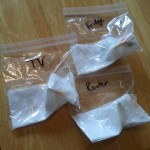



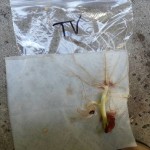
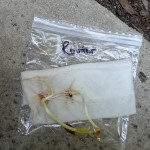
I wonder if the seeds in the school experiment just dried out. Katie sealed her seeds in plastic bags, which allowed radiation to pass through, but trapped moisture. As I understand it, the students watered their seeds throughout the experiment, but it’s possible the trays dried out overnight. Comparing moisture content/retention would be an interesting follow-up.
Obviously, this isn’t any more rigorous than the original experiment. But it shows that the results they found are the beginning of the process, not the last word. More importantly, it’s something you can easily test yourself if you’re so inclined. Next time you see a startling claim that’s something you can test without too much trouble, try checking it out for yourself.
Incidentally: We planted the seeds in our patio yesterday. With any luck, they’ll do as well as our tomatoes (and better than our poor carrots) this year!
Setting up a Wireless Network on Linux: Ralink 3062 and Network Manager
Ah, memories! These days, setting up hardware on Linux is often easier than it is in Windows. Lots of drivers are built-in and auto-detected, and many are provided through a distribution channel that makes it almost as easy.
Wireless networking, however, is a bit of a throwback to the old days. Half the hardware doesn’t have Linux drivers, and half of the devices that do require you to hunt for the driver — based on the chipset, of course, not on the name or model number on the box — and compile it yourself. (At least these days, you can sometimes run a tool to adapt the Windows drivers if there’s no native Linux option.)
The steps I actually needed to take to set up wifi on my Fedora 13 desktop probably only amounted to about 10 minutes. Unfortunately it took a lot of false starts to get there. I had installed a Zonet ZEW1642 PCI card, which my initial research suggested would be supported by the built-in rt2860 drivers. As it turned out, it wasn’t that simple. Continue reading