Sci-fi, comics, humor, photos…it's all fair game.

Power Down

Sunday, November 15th, 2009 Posted in Annoyances, Computers/Internet | No Comments »

Subject: An old G4 PowerBook laptop which locks up after several hours of use.
Goals:

  • Test the memory so that, if it’s good, we can resell it instead of recycling it.
  • Wipe the hard disk so that we can recycle the computer.

Tools:

  • Tech Tool Pro 4 disc
  • Tech Tool Pro 5 disc
  • Mac OS X 10.5 Leopard install disc
  • Mac OS X 10.3 install disc (came with laptop)

You’d think this would be easy… Read the rest of this entry »

Macbook!

Thursday, January 1st, 2009 Posted in Computers/Internet | 1 Comment »

Finally replaced dying PowerBook with shiny new MacBook. Setting up now… #

Video Linkblogging: Mac vs. PC

Tuesday, December 30th, 2008 Posted in Apple, Humor, Sci-Fi/Fantasy | No Comments »

Found this fun short movie: Mac vs. PC. Yeah, I know what you’re thinking. It’s been done a million times. But how many times have the Mac and PC been Transformers? There’s a strong element of Terminator in there, as well.

(via Major Spoilers, though it apparently hit Digg a week ago)

Crash

Sunday, October 26th, 2008 Posted in Computers/Internet | No Comments »

Argh. Laptop crashed. And TechTool Pro runs with the color palette messed to the point that it’s almost unreadable. Whee. #

Curso de Photoshop

Tuesday, October 14th, 2008 Posted in Annoyances, Computers/Internet | 3 Comments »

$150...just to UPGRADEIt’s always something.

Last month it was my computer that needed rebuilding. This month it was Katie’s. It’s an old G4 PowerMac, but it’s still plenty for iTunes, web, email, word processing, etc., and we’ve got a newer Windows box for things like games. It failed to boot after a system upgrade, and subsequent troubleshooting determined that the drive was going bad. (This time I ran some more diagnostics, confirming that the rest of the hardware was fine, and Tech Tool Pro found dozens of bad blocks before I stopped the surface scan.)

So: New drive, reinstall system, transfer the data and apps that we can. Which led to this question:

The Leopard or the Tiger?

(Sorry, I couldn’t resist phrasing it that way!)

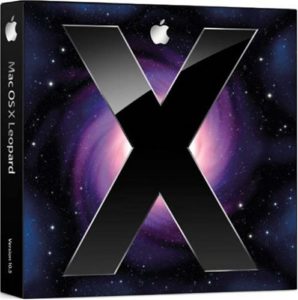
Mac OS X LeopardLast fall I bought the multi-license pack of Leopard so that we could put it on both Macs. We ended up not upgrading the desktop. She was under the impression that the hardware was too old, and I only remembered that Leopard had dropped support for Classic apps. The first problem was easy: I’d checked the specs before ordering, and would only have bought the single-license box if it hadn’t been supported. The second was also easy: in the past year, she’d converted all her documents from old classic-only apps, and wasn’t playing the classic-only games anymore.

So: Installed Leopard, transferred data from old drive & backups.

Side annoyance: transferring a user with the Migration Assistant did not work. First it wouldn’t copy over her account, so I had to create another account, log in, delete her (new) account, then do the transfer. Then, every time it ran into one of the 5 or so corrupted but inconsequential files, it would freak out and remove everything it had copied. Drag and drop copy didn’t work because the alternate account didn’t have permission to read everything. (Remember: admin != root.) I finally resorted to the UNIX commandline, which worked. For reference: sudo cp -rp oldpath newpath Prob. should’ve used tar instead of cp, but I’m not sure how much Mac OS X uses symbolic links in user accounts. In any case, it’s been working, so I’m not going to worry about that.

The real problem: A week later, while doing link maintenance on this site, I stumbled across my blog post about upgrading the laptop, which mentioned the fact that Photoshop 7 won’t run on Leopard.

*facepalm*

So, what are the options?

  1. Shell out $200 to upgrade to Photoshop CS3. I don’t think so. Not after doing major surgery on two computers, not in this economy. (Incidentally, it took forever to find the system requirements on Adobe’s website and verify that CS3 would actually run on that machine, since everything is focused on CS4…even though it isn’t available yet.)
  2. Downgrade to Tiger. Might just be Archive & Install, might require wiping the new drive and reinstalling. (Reports are mixed.) I don’t think any of the built-in apps she uses have changed data formats, so that’s probably OK.
  3. Find something cheaper or free. Katie pointed out that it has to be able to read PSD files accurately.

We’re going with (c) for now, starting with the OSX version of GIMP.

Leaped to Leopard

Wednesday, October 31st, 2007 Posted in Apple | No Comments »

Mac OS X LeopardThe new Mac OS X disc arrived in today’s mail. I opened it up to make sure everything was there, and was surprised to see that Apple has really cut down on packaging. Instead of the ~8×10″ box with folds to keep the disc and manual in place, they’ve gone to a small box the size of a cardboard CD case. Just enough room for the DVD and the “manual” (which is mainly a “Look what’s new!” booklet).

“So,” I said. “I have to ask myself. Do I feel lucky?”
“Well,” Katie replied. “Do you? Punk?”
“What the heck.”

I’d done some research on application compatibility earlier this week, and the PowerBook looked ready. Katie’s desktop is going to need further study. The Mac Classic environment will no longer run under Leopard, and she’s still got a couple of Classic apps she pulls out occasionally. Also, Photoshop 7 is reported not to run under Leopard, and Adobe isn’t testing or updating anything older than CS3.

But the laptop? No critical data to back up (it’s all duplicated from the desktops), and everything we actually use on it has been tested on at least a pre-release.

So I fired up Netscape 4 for old times’ sake (and discovered that this theme is completely unreadable in it; then I switched the CSS around so that Netscape 4 won’t even try). Then I popped in the disc, selected some options, and let it install during Pushing Daisies.

No problems so far. Disk space is running low, but it’s a 3-year old laptop (so the drive is small) and I did an Archive and Install, so it has a backup of the old OS. Once it’s clear that everything works, I can free up ~6GB right there. It may also be time to wipe the Yellow Dog Linux partition. I haven’t used it in over a year.

Some highlights: I really like finally having virtual desktops (what Apple calls “Spaces”). The new search highlighting, previously seen in the Safari 3 beta, appears in other apps as well. Heck, Safari 3 is a big jump itself. (Hey, Apple, where are the Windows and Tiger releases?)

Mac OS X: The Leopard Pounces

Tuesday, October 16th, 2007 Posted in Apple | No Comments »

After many delays, Apple has finally announced the release date for the next version of Mac OS X, a.k.a. Leopard. It’ll hit the shelves in just 10 days, on October 26—roughly 2½ years since the previous release.

Mac OS X LeopardI’d planned on pre-ordering it from Amazon, since I have no interest in standing in line at an Apple store (though that may have been unique to the iPhone), but I’ve been holding off until the requirements were finalized. We’ve got two Macs, one desktop and one laptop, both G4s, and the desktop is old enough for compatibility to be a question. And while the 5-license “family pack” is still less than twice the cost of the single-license box—$199 vs. $129—I only want to spend the additional $70 if we can use it.

Fortunately, even the desktop meets the minimum requirements, so it’s not quite obsolete yet.

At least I shouldn’t have to repeat the shipping snafu I had with Tiger. The leasing office will hold packages now, so even if UPS (or whoever) does try to deliver while no-one’s home, I should be able to just pick it up instead of spending 4 days trying to get it delivered to the right place.

It’s funny: When Microsoft releases a new OS, my inclination is to sit it out and wait for the first service pack, usually a year or so in. When Apple or Fedora releases a new OS, my inclination is to upgrade as soon as I have the time. Even though all of them have had histories of significant problems on one release or another—the broken video driver I ran into on Fedora 7, for instance, or the firewire drives fried by one version of Mac OS X.

I’m not sure why that is. Maybe it’s trust. Maybe it’s speed of the fixes: Linux vendors will have updated packages within days to weeks. (Heck, some Linux distros have updates available by the time the ISOs go live, because a bug was fixed after the contents were frozen.) And you can count on a Mac OS 10.5.1 in a month or two. Maybe it’s the scale of problems. You risk things like broken drivers or software with anyone’s major OS upgrade, but Windows always seems to have some problem that’s bigger than just a bug fix, something that needs more time and effort to redesign. In short, something that won’t get fixed until the next service pack.

Edit: It occurs to me that since Leopard will include the new release of Safari, we’ll probably also see the final release of Safari 3 for Windows next week.

Camino – Browsing for an Intel Mac

Tuesday, February 14th, 2006 Posted in Apple, Mozilla | No Comments »

Camino, the Gecko-based web browser designed specifically for Mac OS X, has just released version 1.0… and among the release notes it mentions that it’s a universal binary.

As far as I know, this makes it only the third released web browser to work natively on both PowerPC and Intel Macs, after Safari and Shiira. The Opera 9 previews have been universal binaries, and Firefox plans to have them for their next bugfix/stability release (1.5.0.2, probably sometime next month).

IE/Mac: The Final Nail

Monday, December 19th, 2005 Posted in Apple, Web | 4 Comments »

The WaSP is reporting that Microsoft will end support and cease distributing Internet Explorer for the Macintosh at the end of January. It’s been about eight months since the latest version of Mac OS X shipped without IE, and almost three years since Apple launched Safari.

While there is an “end of an era” feeling to this, it’s kind of like losing the last veteran of World War I. It’s of more historical significance than anything else. When Microsoft released IE5/Mac, it was hailed as the most standards-compliant web browser available. But Microsoft abandoned it years ago.

Fortunately, not only is Safari a worthy successor, but there are other options as well. What’s great about the web browser field these days is that the major players are constantly improving their offerings and working toward greater compatibility. And soon any website that wants to cater to Mac users will no longer be able to fall back on “Just use IE!” They’ll have to test in Safari, and of course the easiest way to build a website that works in IE/Win, Safari, and Firefox (the two defaults and the major alternative) is to start with standards-based code in the first place—which improves compatibility with even more browsers. Users get more choices, and websites get more users. Everyone wins.

Browser War, OS War

Wednesday, August 10th, 2005 Posted in Computers/Internet | 1 Comment »

It occurred to me today that if you lay out the three major players in computer operating systems and the three major players in web browsers, the results track remarkably well.

  • Windows and Internet Explorer. The dominant player. Obtained that position by being good enough, cheap enough, and promoted enough to win a protracted two-way battle. Detractors claim the victory was primarily due to marketing and business practices, not quality. Plagued by a public perception of insecurity. Currently trying to maintain that lead against an opponent unlike any they’ve faced before. Believes itself to be technically superior to the other options.
  • Linux and Firefox. Open source product with a core team and hundreds of volunteer contributors. Originally created as a replacement for a previous major player. Very extensible. Promoted as a more secure alternative, but has faced growing pains with its own security problems. Highly regarded among many computer power users, beginning to gain mainstream acceptance and challenging the dominant player. Believes itself to be technically superior to the other options.
  • Mac OS and Opera. Has been there since the beginning. Constantly innovating, pioneering ideas that get wider exposure when their competitors adopt them. Very dedicated fan base that never seems to grow enough to challenge the dominant player. Has been declared doomed time and time again, but keeps going strong. Believes itself to be technically superior to the other options.

It breaks down, of course. Traditional UNIX is missing from the OS wars, though it provides a nice analogy to Netscape for Firefox. The battle lines don’t quite track either, since the previous wars were Windows vs. Mac and IE vs. Netscape. And Safari’s missing entirely. But it’s interesting to see the same three roles in play.

Reinventing the Upgrade Wheel

Thursday, June 23rd, 2005 Posted in Annoyances, Computers/Internet | 3 Comments »

The internet is a hostile place. Viruses, worms, and worse are constantly trying to break or break into your computer. Software developers are constantly fixing the holes that can let them in. It’s become critical to keep your system up to date. Unfortunately this can be very frustrating, even for a power user, for one simple reason: you have to keep track of each program individually.

Sure, the operating systems have their own centralized places. Microsoft has Windows Update, and Apple has Software Update. But every application that exposes itself to the network directly or opens untrusted files has to be updated, and there are many that aren’t part of the operating system.

So Symantec has Live Update. Real Player has its own updater. iTunes and QuickTime for Windows can update themselves. Adobe Reader has an update function. Firefox is redesigning its update system. Games check for updates when they connect to the network.

But wouldn’t it be nice if Windows would grab the Acrobat updates overnight, instead of waiting until the next time you launched it? Wouldn’t you like to be able to patch everything on your system at once and just not worry about it? As a software developer, wouldn’t you like to be able to let someone else deal with the update problem instead of re-inventing the wheel yet again?
Read the rest of this entry »

We have always been at war with Eastasia

Monday, June 6th, 2005 Posted in Apple, Linux | 2 Comments »

The eternal Mac OS on Intel rumor resurfaced last week, and as always, my reaction was “I’ll believe it when I see it.” Well, I’ve seen it.

After five years of rumors, Apple has not only confirmed Mac OS X can run on Intel processors, but future Macs will run on Intel. No, they won’t be releasing a version of Mac OS that you can install on your PC, they’re “just” replacing the CPUs in future Macs. Apparently Intel has a better road map for future performance. (Hmm, better tell the marketing division, quick. The PowerMac page [archive.org] still touts the PowerPC’s superiority over the Pentium 4.)

It’s a switch on the order of—well, on the order of leaving the Motorola 68K for PowerPC. Back in those days, it was Apple vs. IBM Compatibles, and IBM was a partner in the PowerPC design. These days it’s Apple vs. Wintel, the Windows/Intel combination.

Apple seems to have everything planned out. Secretly running OS X on both PPC and x86 for the past five years, preparing developer tools to produce applications for both architectures, setting up a translation tool to run PPC apps on Intel chips. Microsoft and Adobe are already on board. It’s not a surprise, really—they’ve done it all before. Of course, we all know how well the best laid plans go…

I do have to wonder how this will affect Linux distributions aimed at the PowerPC line. Yellow Dog Linux, for instance, is also advertised as running on IBM’s own PowerPC systems. And depending on the rest of the hardware, standard x86 distros may have to incorporate formerly PPC-only code. Update: It hasn’t shown up on their website yet, but I just got an email from YDL stating that they will remain focused on PowerPC, remain “in good standing with Apple” as a reseller, and “expect [server OS] Y-HPC to gain an even greater userbase with existing Apple Xserve users.”

I also wonder which Intel chip line they plan on using. Everyone seems to be assuming it’s x86-based, and I’d guess it’s 64-bit (why go backwards from the G5?). In theory Apple could go with Itanium, since they don’t need to drag around x86 compatibility, and the extra volume might be enough to bring the price down.

Tiger Has Arrived!

Monday, May 9th, 2005 Posted in Apple | No Comments »

It took four extra days due to the UPS snafu—and would have taken longer if the regular carrier hadn’t been on the route. (They changed the suite number. I know I didn’t enter it in wrong, because when I talked with them on the phone Friday afternoon, they told me they had changed it.)

Anyway, I opened up the box to take a look, and aside from a sticker on the box and a 1-paragraph license addendum, I don’t see anything else to indicate how the 5-license pack differs from the standard 1-license pack. I guess they figure on voluntary compliance rather than messing around with license keys. (Keep in mind I’ve never actually installed Mac OS X before. Katie’s upgraded her computer a couple of times, but the laptop came with Panther pre-installed.)

On the plus side, we already know 10 days’ worth of pitfalls to watch out for before upgrading…whenever we have the time to do it.

Anyway, off to lunch and then back to work.

How do you pronounce UPS?

Thursday, May 5th, 2005 Posted in Annoyances, Apple | 2 Comments »

I’m going to have to stop using Amazon’s super-saver free shipping. It doesn’t let you choose the carrier (which, I’m sure, is part of why it’s free). For whatever reason, Amazon shipped part of my latest order by Priority Mail and part of it by UPS. Random paperback novel? Arrived safely in a locked mailbox three days ago. Mac OS X Tiger? UPS left a notice on the door today indicating that they need someone to sign for it in person, and they’ll try again during work hours tomorrow.

*Sigh*

Either that, or I’m just going to have to start asking Amazon to ship things to the office instead. As it is, I’ve asked UPS to redirect this package, but if their website is to be believed, they won’t be able to do so until Monday. So much for using Saturday to upgrade.

IE/Mac Dead?

Monday, May 2nd, 2005 Posted in Apple | 1 Comment »

It’s been anticipated since Apple first announced Safari, but it’s still a minor shock to see it actually happen. Daring Fireball reports that Internet Explorer is no longer included with Mac OS X Tiger.

You can still download it from Microsoft, but given that they dissolved the development team a few years ago, there’s not much point except for site testing.

(The one I can’t figure out is why they’ve apparently left out StuffIt Expander as well.)